What’s New?
We’re excited to introduce the
Google Lead Ads Integration
, enabling seamless syncing of leads from Google Ads directly into the CRM. With this release, accounts can now automatically sync leads, trigger workflow automation and engage prospects instantly upon lead submission.Key Features
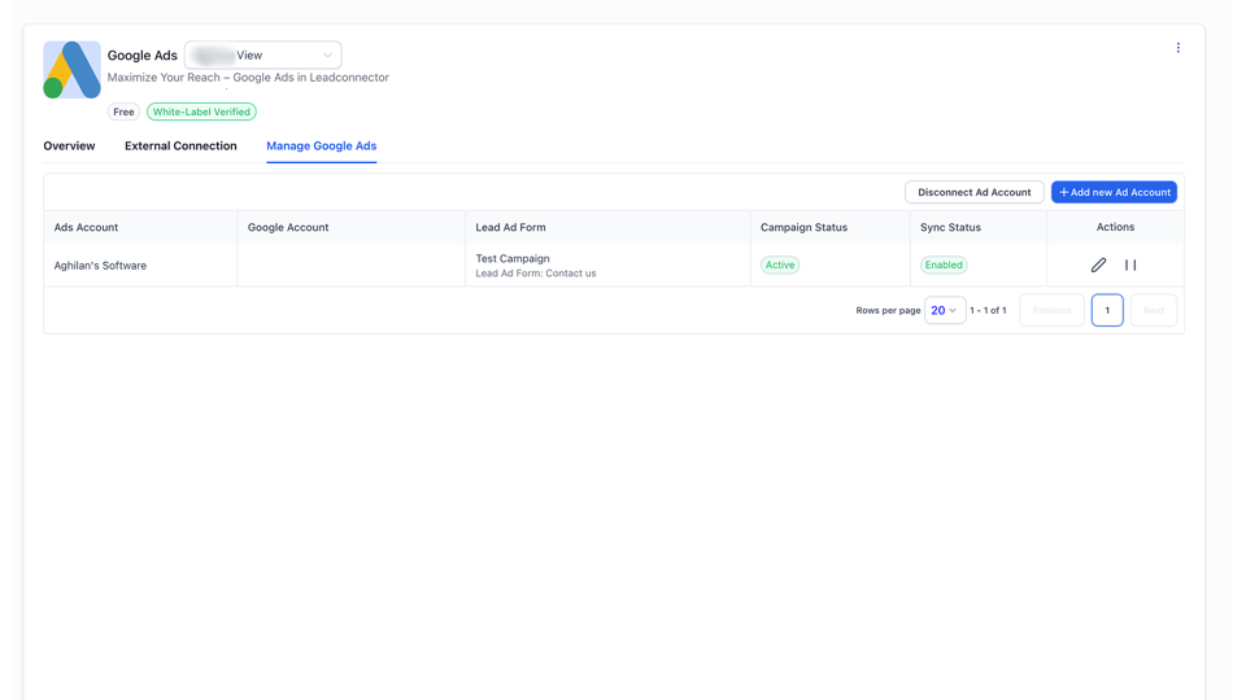
- Seamless Setup:Effortlessly connect Google Ads accounts to the CRM. Users can link multiple ad accounts under a single Google account and view all active lead forms in one place.
- Lead Sync:Contacts get created every time a lead is submitted for a connected and mapped form.
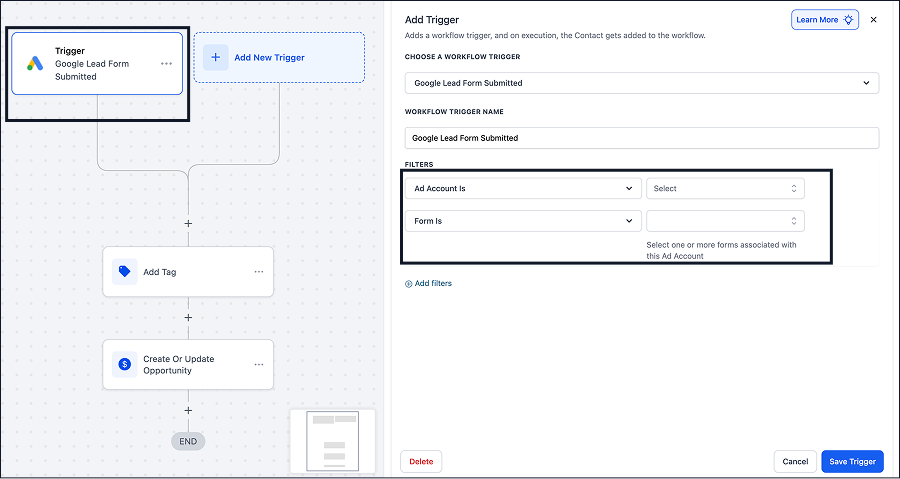
- Workflow Automations:Create automations triggered by new lead submissions to streamline follow-ups and enhance response times.
How to Use
- Navigate to Account → Settings → Integrations and search for Google Ads.
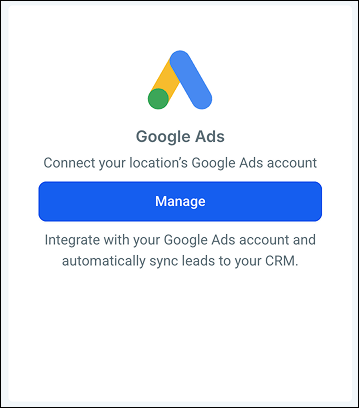
- Click on manage to go to the marketplace view.
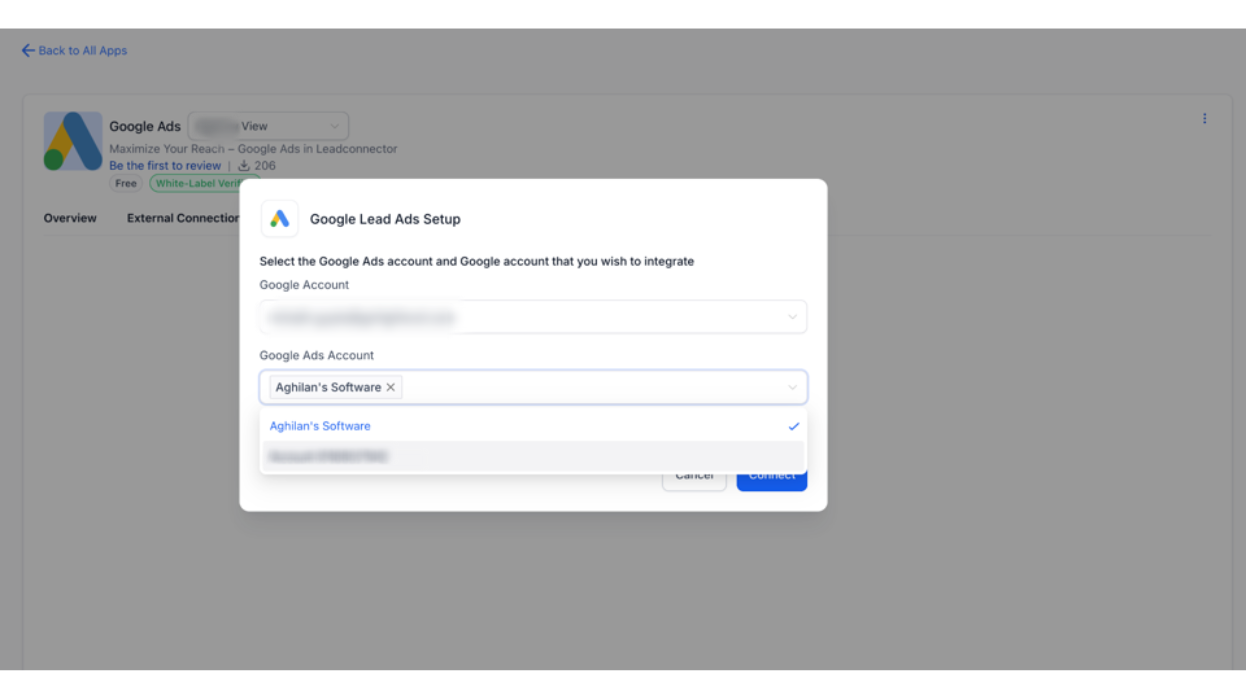
- Click on Install and Connect the Gmail account linked to your Google Ads account.
- Select the desired ad account from the list.
- Once connected, view all campaigns and lead forms.
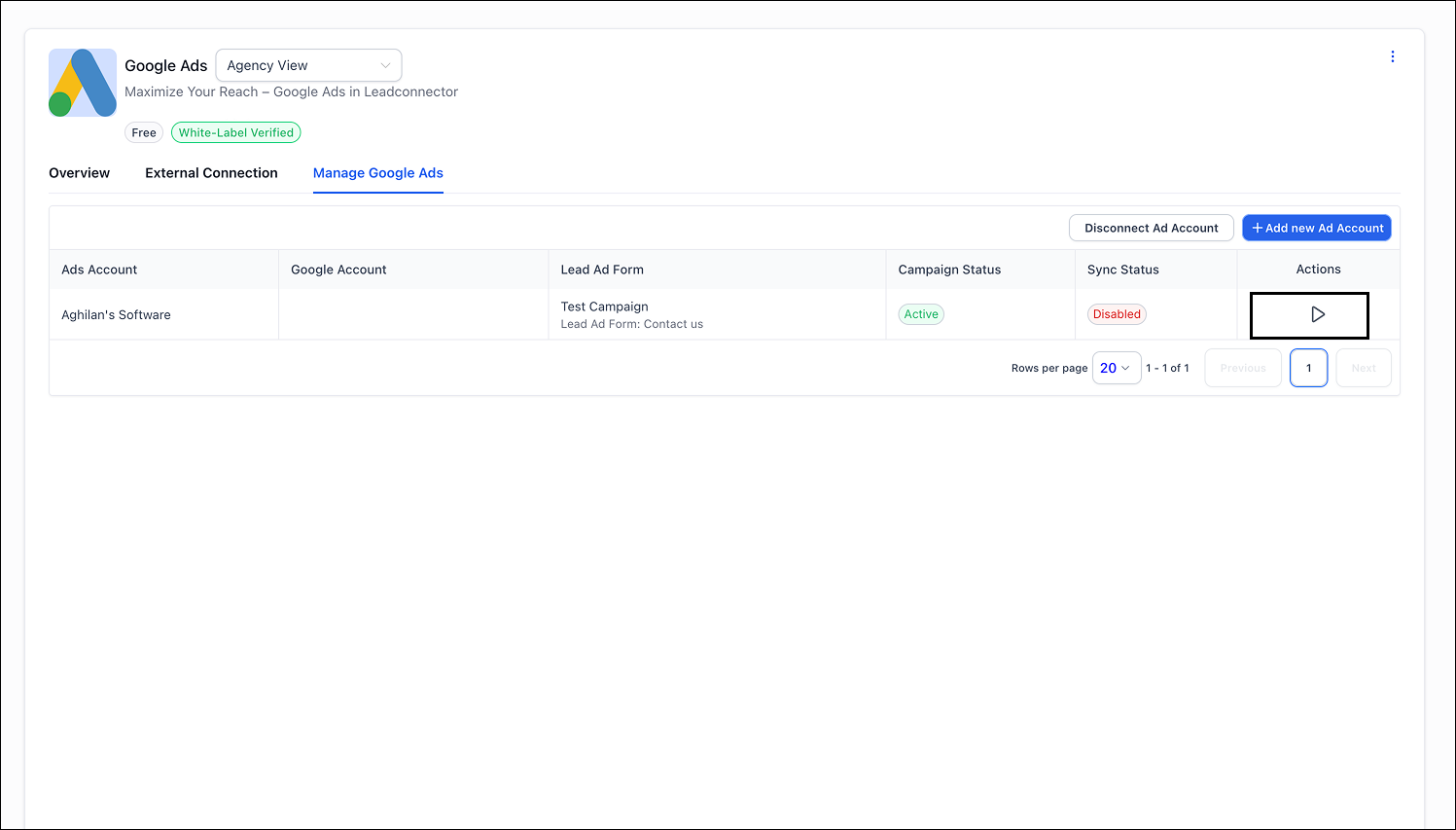
- Enable campaign sync and map the forms to CRM fields.
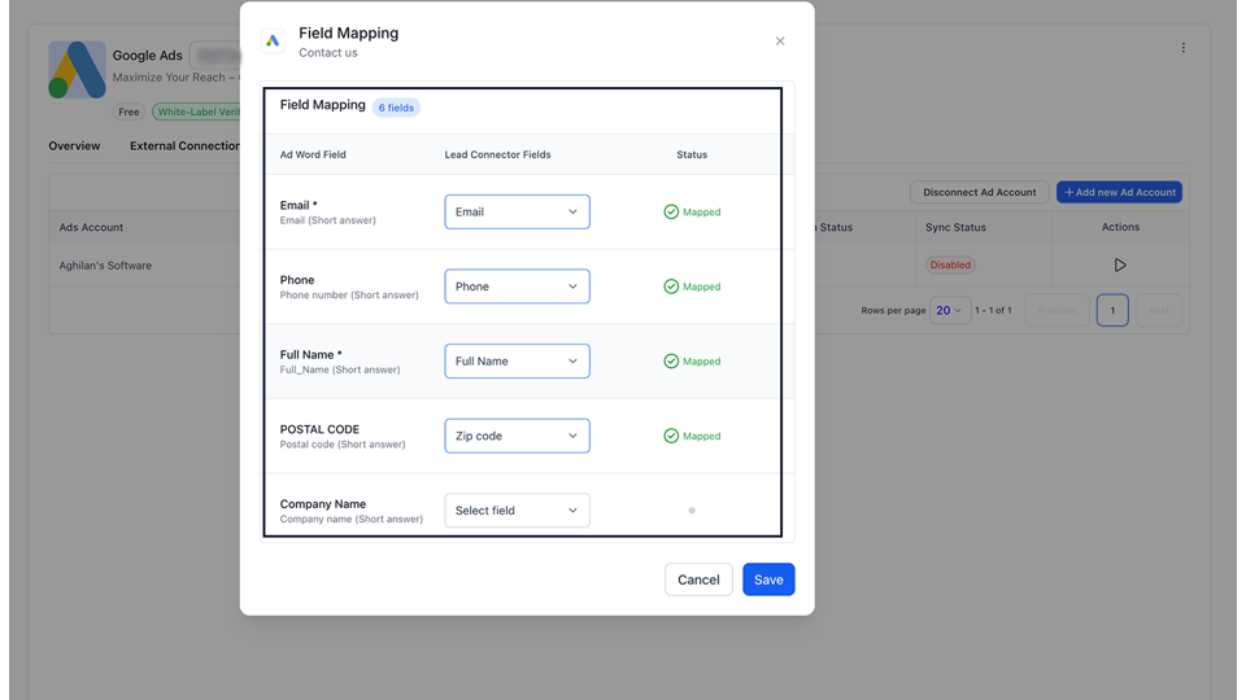
- Once mapping is complete, the sync status will turn active and leads will begin flowing automatically into the CRM.
- Setup automations using "Google Lead Form Submitted" trigger and filters (ad account and form)
Why This Matters
- Customer Request:The feature received 800+ upvotes from users.
- Centralized Lead Management:Offers a single-point solution to manage leads from multiple sources efficiently.
- Improved Response Efficiency:Ensures faster engagement with new leads through automation and sync transparency.
Was this article helpful?
That’s Great!
Thank you for your feedback
Sorry! We couldn't be helpful
Thank you for your feedback
Feedback sent
We appreciate your effort and will try to fix the article