What’s New?
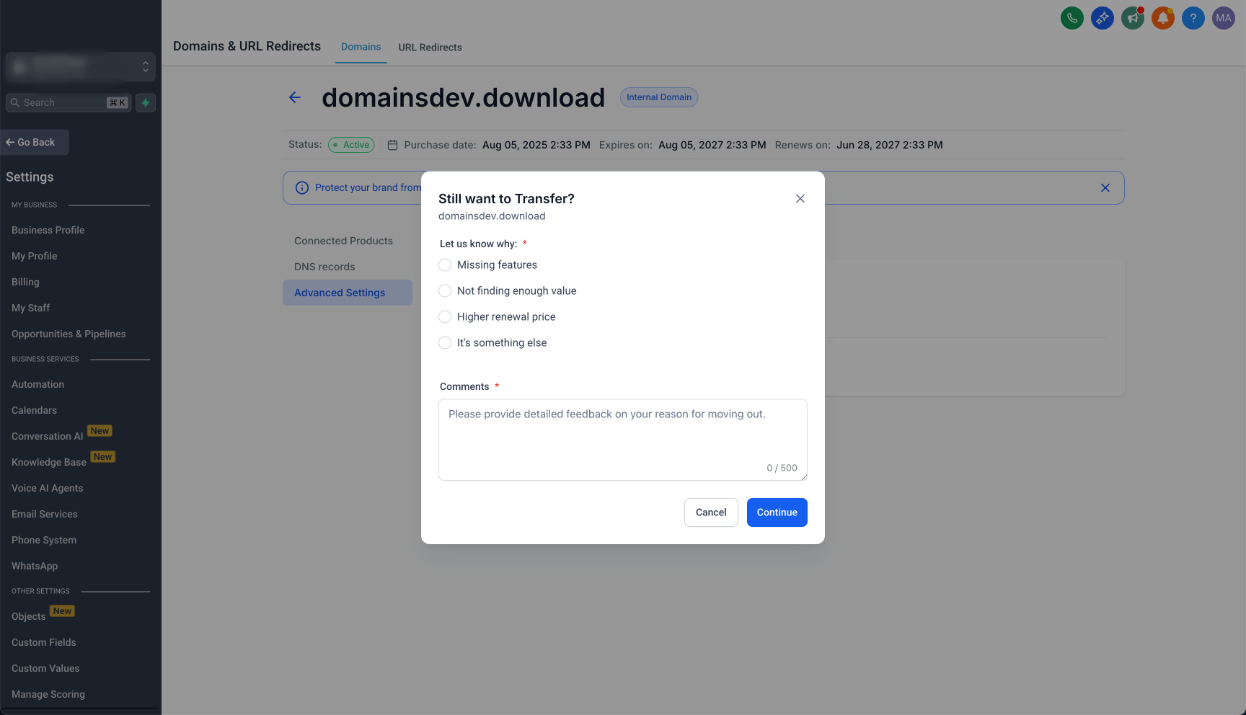
We’ve launched the Domain Transfer Out feature, empowering users to move their domains purchased or transferred into the platform to external registrars directly via Dashboard now. This capability gives users full control over their domain assets.
How it Works
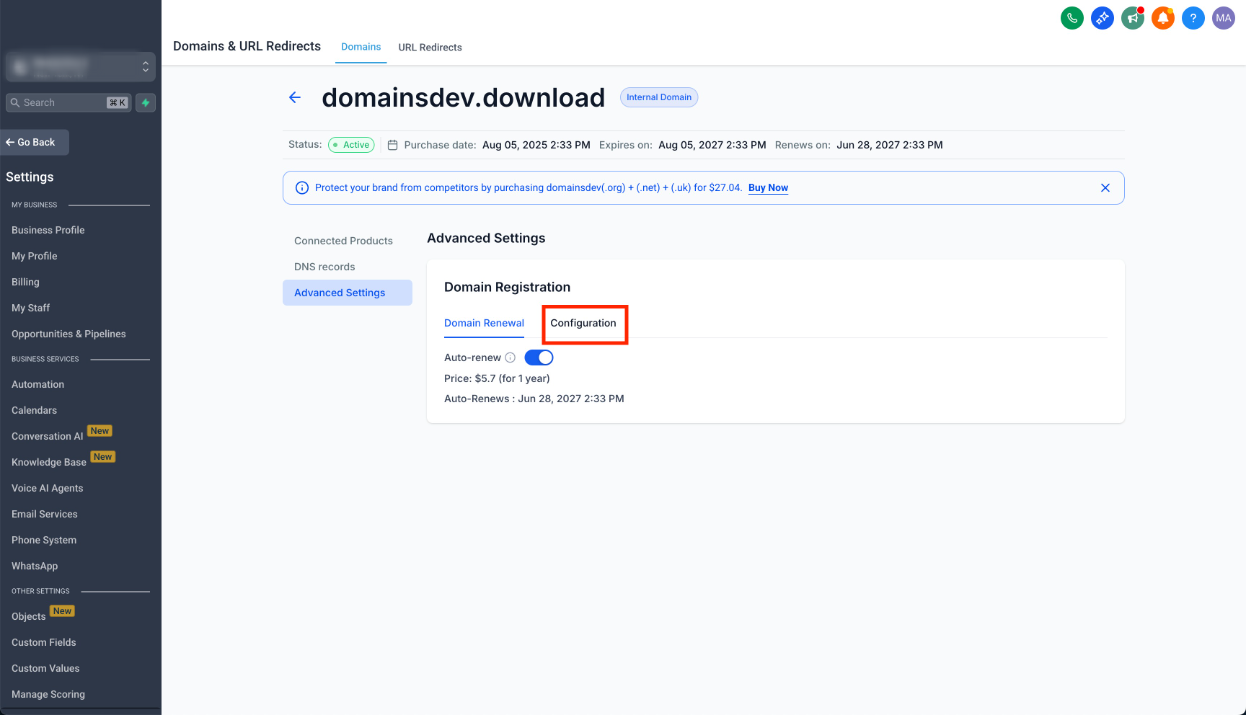
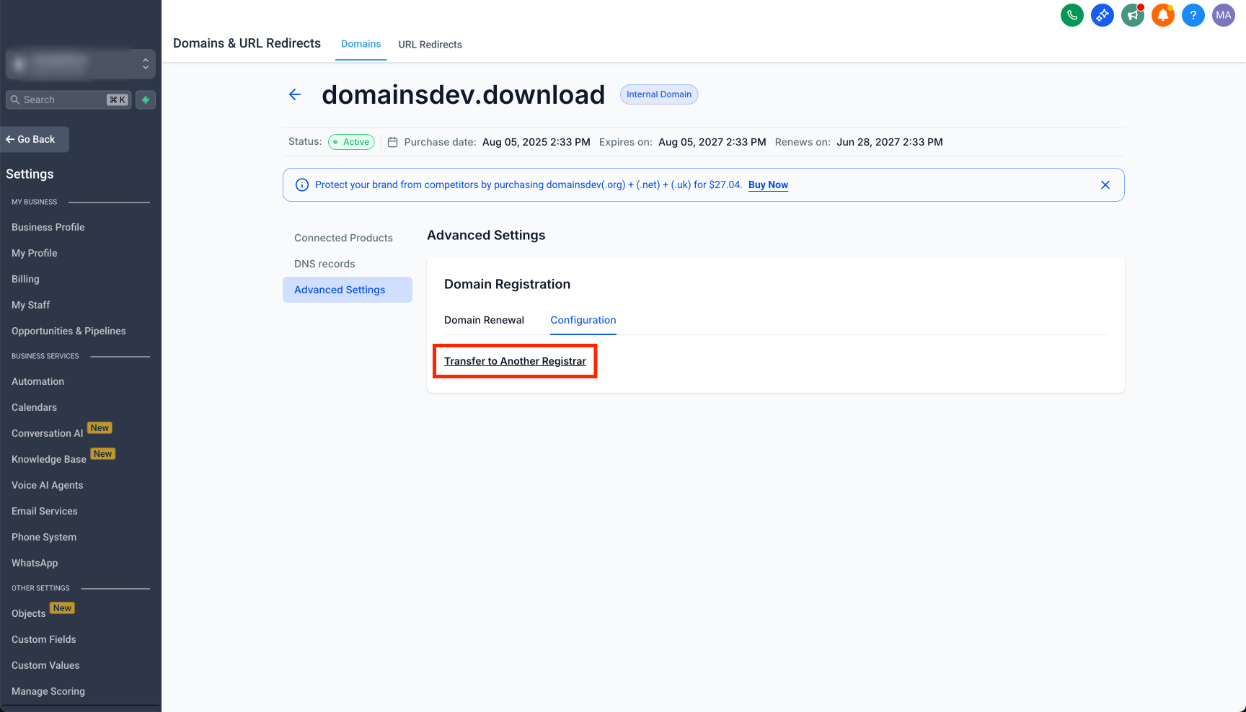
Users can now initiate a transfer out of their domain from the platform through the Advanced Settings tab within an Internal Domain in their domain management dashboard. Here’s the step-by-step flow:
1.
Transfer Eligibility Check:
System verifies if the domain is eligible based on its status. A domain cannot be transferred out in following scenarios:- It has been registered or transferred within past 60 days
- It is prohibited by the current registrar/registry for transfer
- It is already undergoing a transfer
2
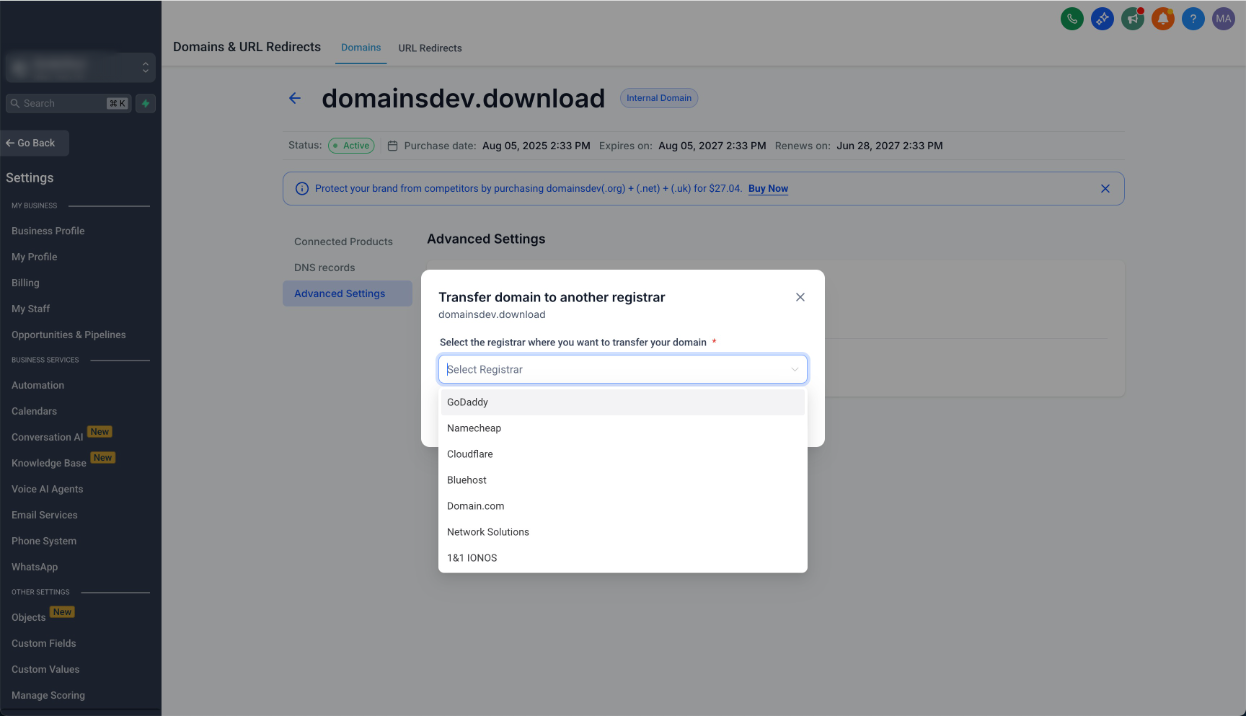
. Registrar Selection:
Users select their target registrar from a dropdown (e.g., GoDaddy, Namecheap, Cloudflare, or others).3.
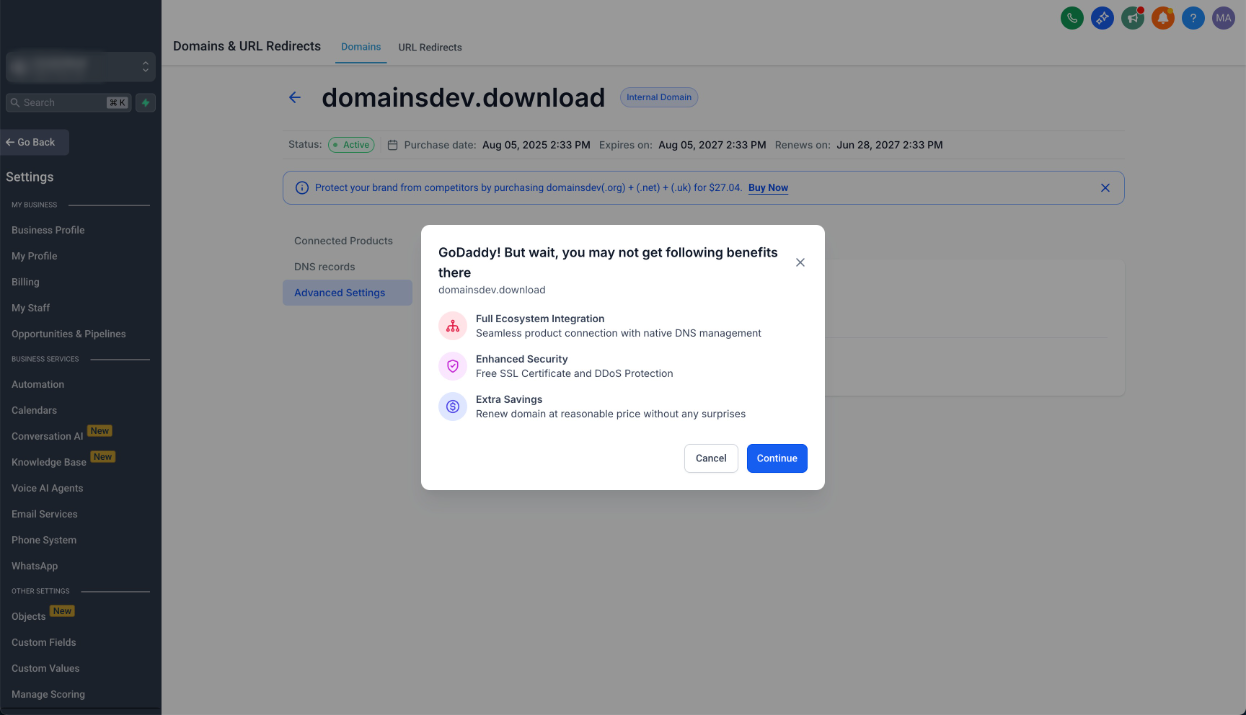
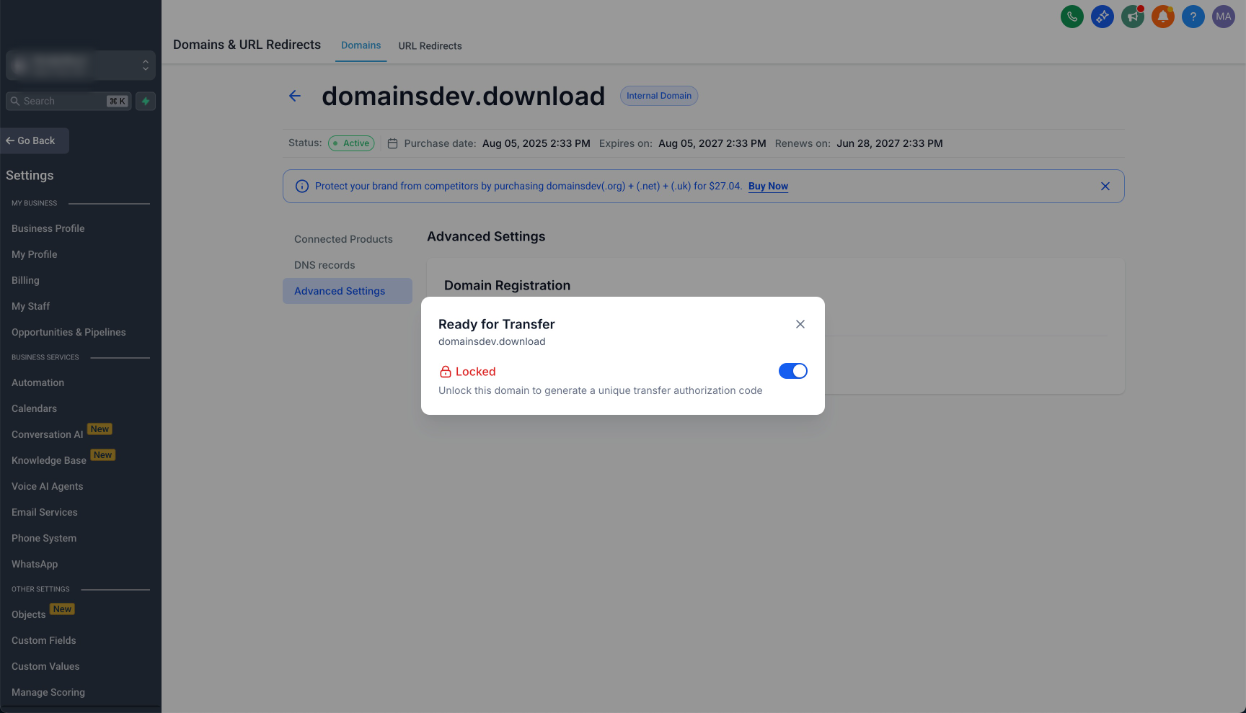
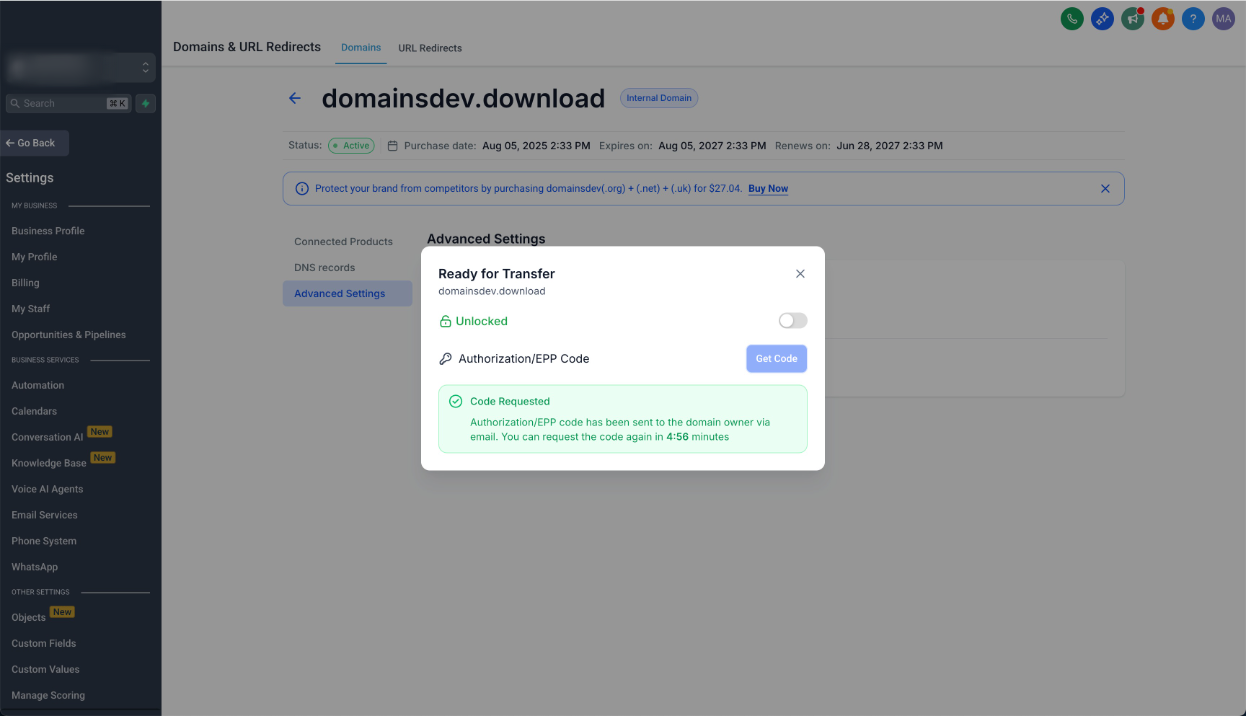
Unlocking & fetching Authorization Code (EPP)
: If domain is locked, users can unlock and request the auth/EPP code. Auth/EPP code will be sent to the domain owner (who purchased the domain) and the account owner. User can request again for the code after 5 minutes of previous request Why it Matters- Better Domain Management:Ability to transfer out via dashboard helps users manage their domain more efficiently and timely
- Reduced Support Tickets:Automates a process that previously required manual support intervention.
Important Notes
- Transfer-out of .uk TLD family (.uk , .co.uk , .org.uk ,.me.uk) requires support intervention
- Transfer-out to Cloudflare registrar requires support intervention
Was this article helpful?
That’s Great!
Thank you for your feedback
Sorry! We couldn't be helpful
Thank you for your feedback
Feedback sent
We appreciate your effort and will try to fix the article