We’re excited to introduce Nested Folders, a powerful new way to organize your assets across Campaigns, Templates, and Sequences.
What’s New
You can now create subfolders within folders, allowing for a more structured and scalable organization system. Whether you're managing multiple clients, campaigns, or content types, nested folders make it easier to keep everything neatly arranged.
Key Benefits
- Improved Organization – Group related assets into hierarchical folder structures
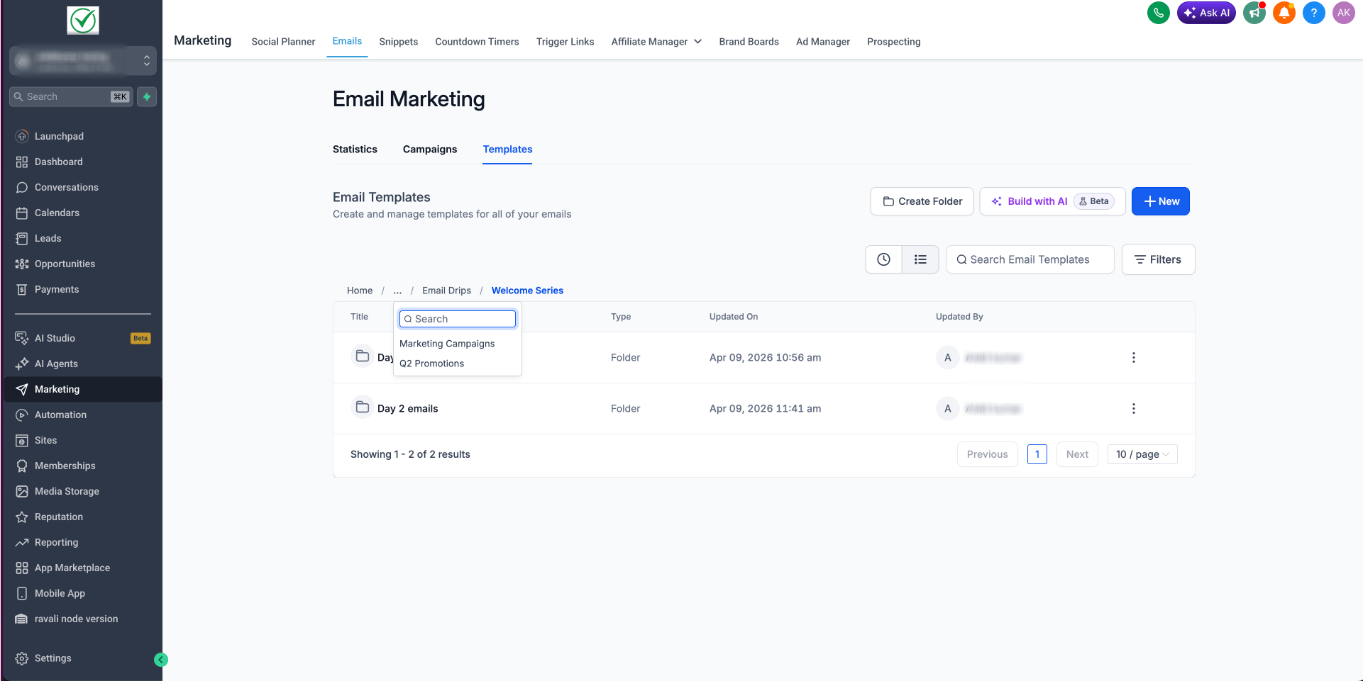
- Better Navigation – Quickly locate campaigns, templates, or sequences without clutter
- Scalable Structure – Ideal for accounts and teams managing large volumes of assets
- Consistent Workflow – Apply the same folder logic across Campaigns, Templates, and Sequences
How It Works
- Create a folder as usual
- Click on New Folder inside a folder view
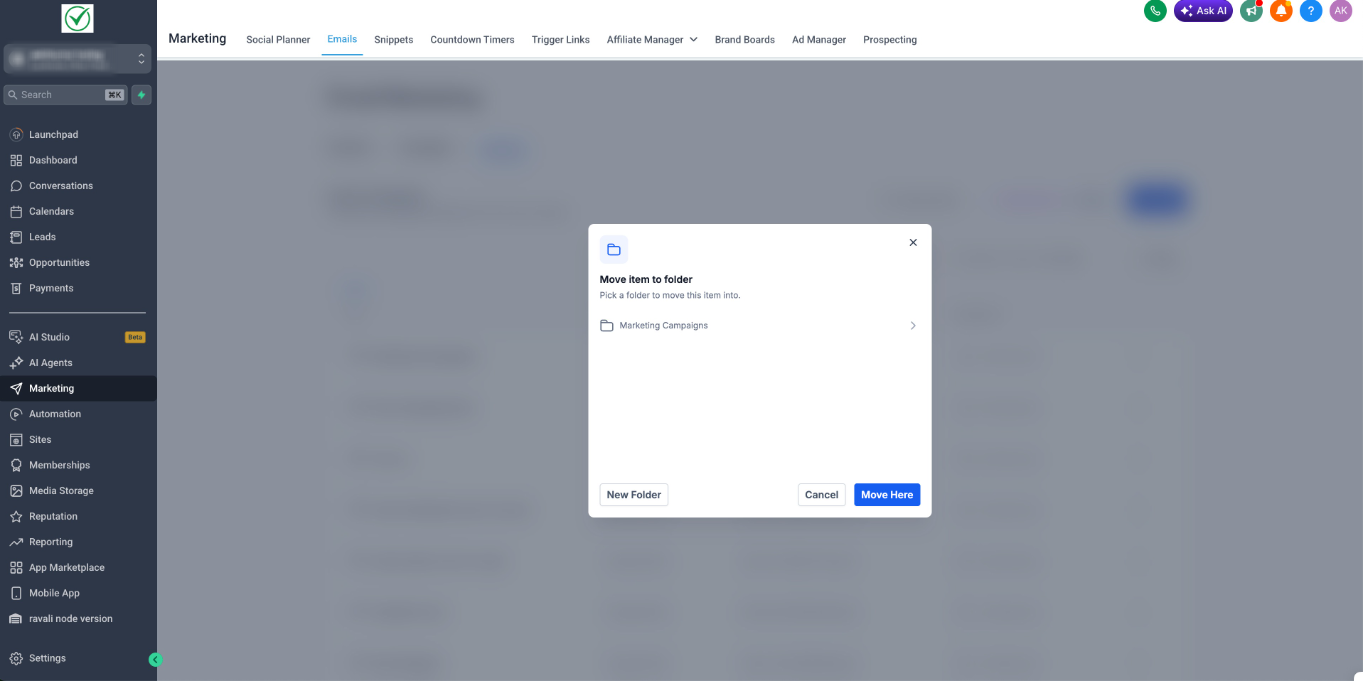
- Move items to the nested folder
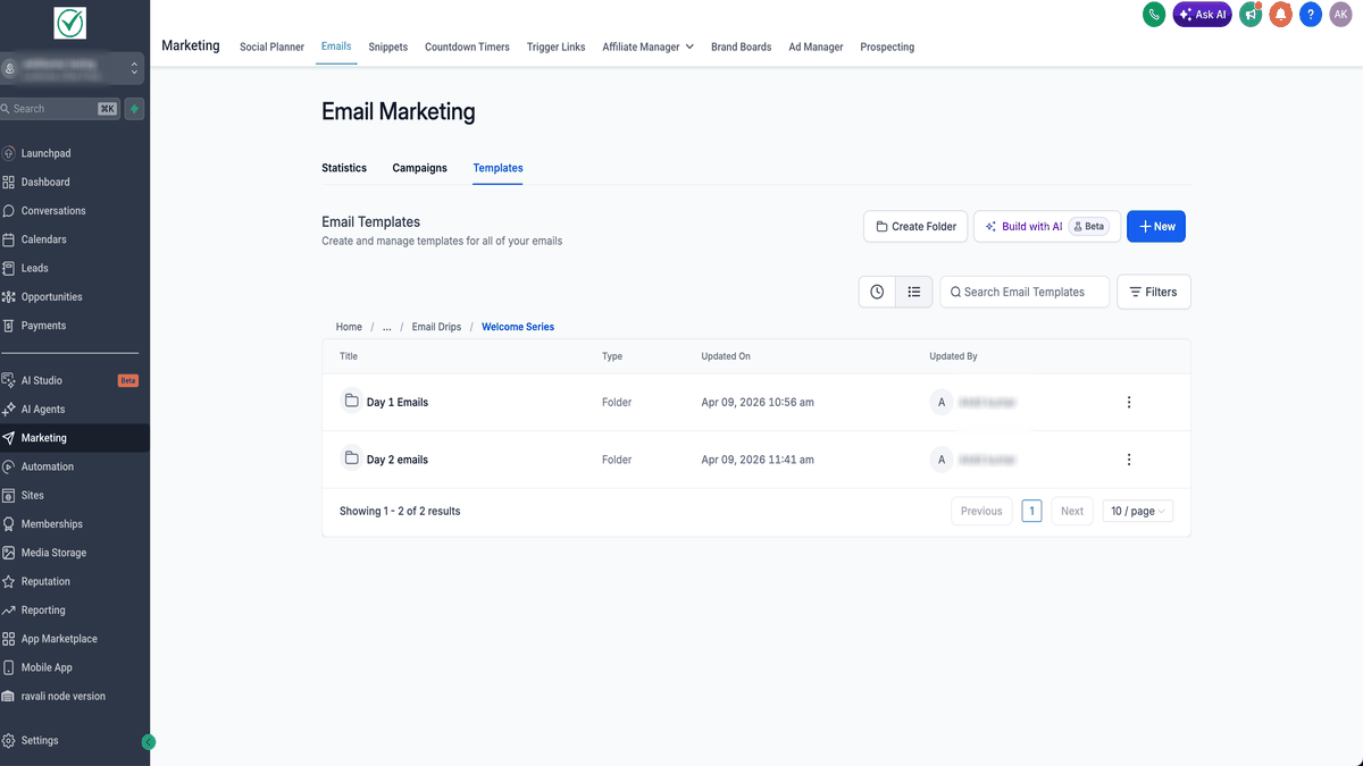
- The folder path would confirm the nesting/ structure
Note:
This release supports more than 5 layers of nesting as well for better organisation.Was this article helpful?
That’s Great!
Thank you for your feedback
Sorry! We couldn't be helpful
Thank you for your feedback
Feedback sent
We appreciate your effort and will try to fix the article