A ground-up revamp of the Campaigns module with a cleaner interface and web-parity analytics, so you can search, filter, and drill into campaign performance from your phone without opening the desktop app.
The Challenge
You send email campaigns from the web, but checking how they performed meant switching back to desktop. The old mobile Campaigns experience was dated, hard to scan, and missing the detail — status at a glance, delivery breakdowns, and recipient-level stats were either buried or absent.
What's new
The new Email Campaigns experience puts the same insight web gives you in a mobile-native flow. Search and filter your campaigns in seconds, open any send for a full performance picture, preview the email inline, and browse recipients by delivery status — all with metrics calculated the same way as web.
What's New in Email Campaigns
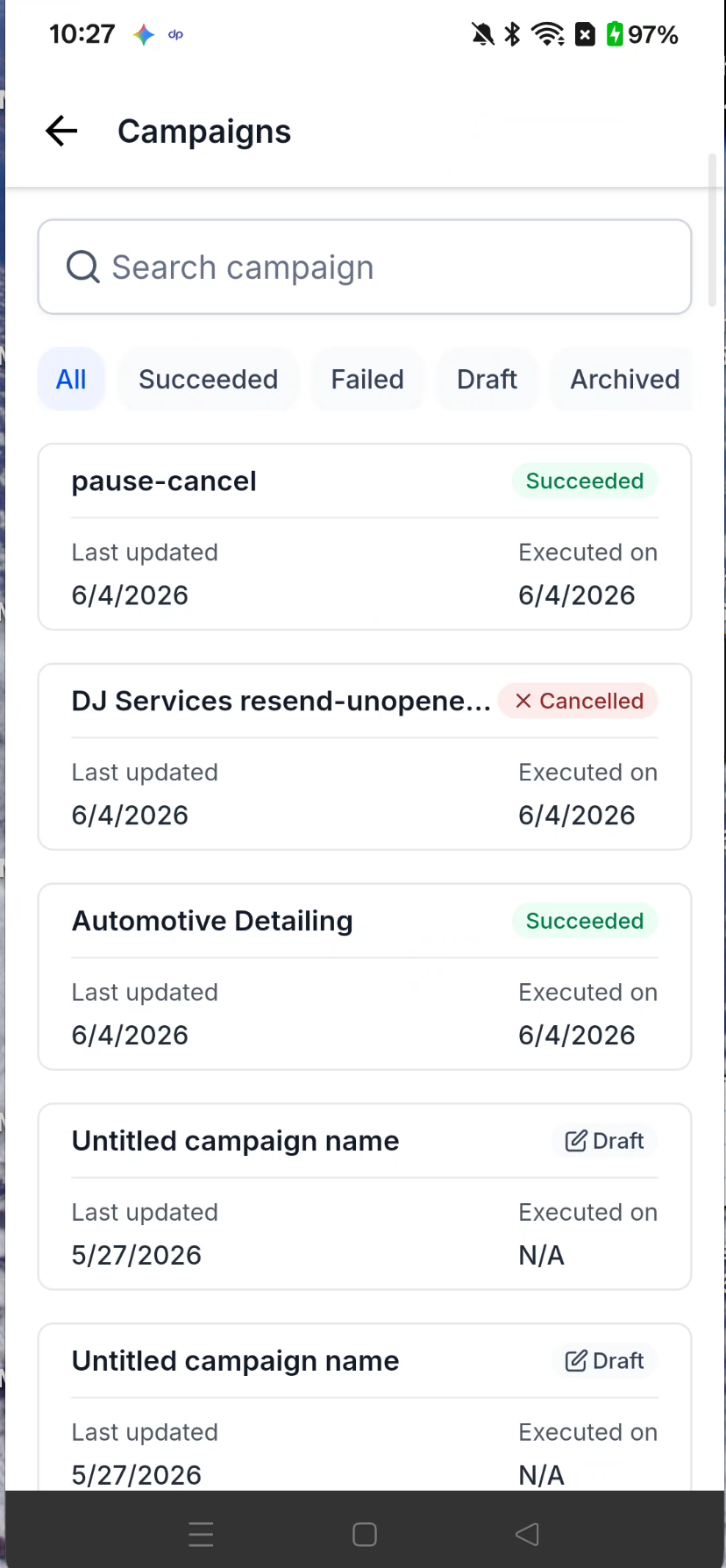
Status at a Glance (New!): Every campaign card shows its current status - Succeeded, Failed, Scheduled, Paused, Draft, and more plus last updated and executed dates, right on the tile.
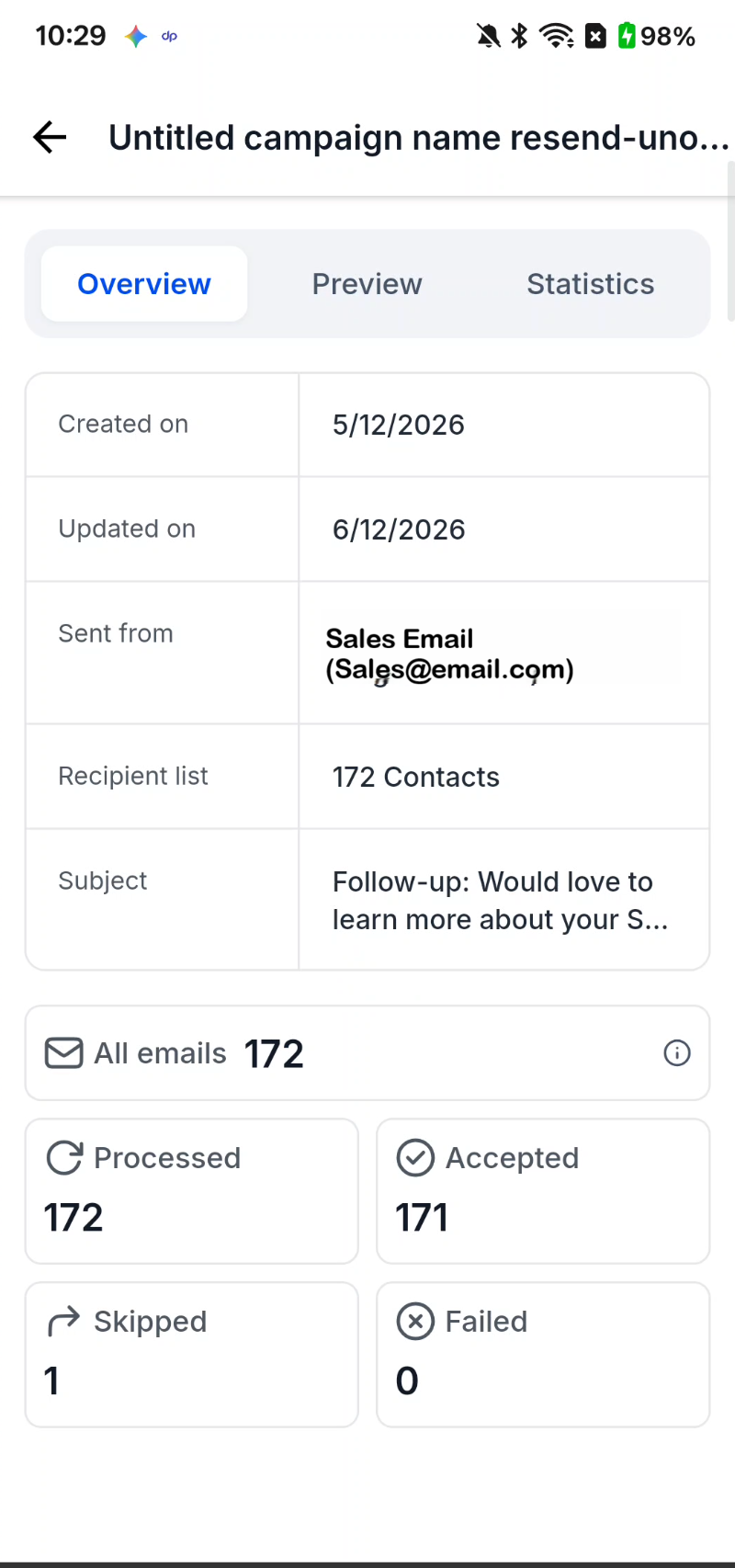
Overview Tab (New!): See campaign metadata (created/updated dates, sender, recipient list, subject) and headline send metrics. All emails, Processed, Accepted, Skipped, and Failed in one scrollable view.
Email Preview (New!): Preview the campaign email inline on the Preview tab, or open the full message in an expanded view.
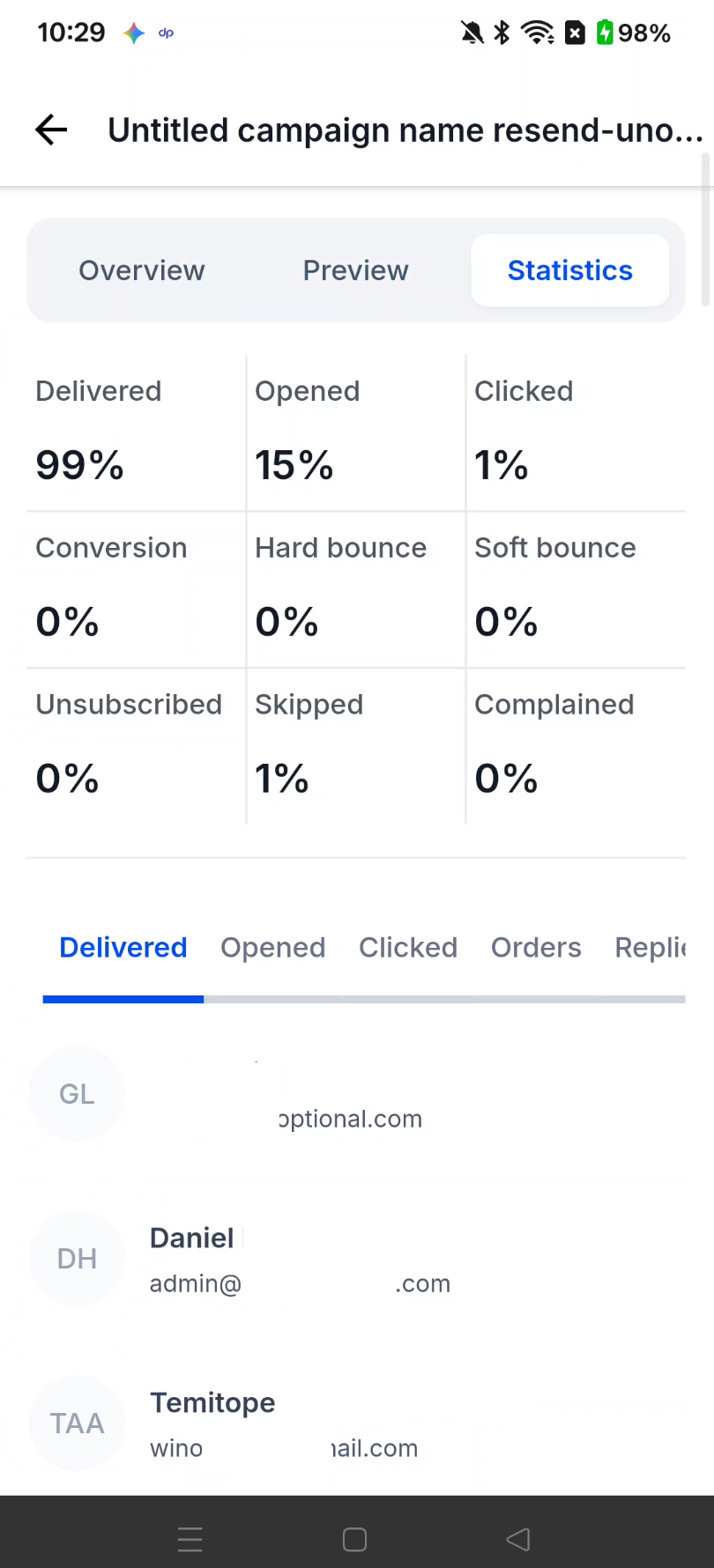
Statistics Tab (New!): Web-parity performance rates for Delivered, Opened, Clicked, Conversion, Bounces, Unsubscribed, Complained, and more — with a paginated recipient list filterable across 11 status categories (Delivered, Opened, Clicked, Orders, Replied, Hard bounce, Soft bounce, Complained, Unsubscribed, Skipped, Failed).
How to Get Started
Navigate: Open the Campaigns tab from the home navigation.
Find: Search by campaign name or tap a status chip — Succeeded, Failed, Draft, or Archived — to filter the list. (Screenshot 2 placeholder)
Drill In: Tap any campaign to open its detail view. Switch between Overview, Preview, and Statistics to review metadata, preview the email, and browse recipient-level stats. (Screenshot 3 placeholder)
Roll-out & Availability
Release Date: [06/12/2026]
Available Version: [4.18.0 — confirm]
Status: Public
Was this article helpful?
That’s Great!
Thank you for your feedback
Sorry! We couldn't be helpful
Thank you for your feedback
Feedback sent
We appreciate your effort and will try to fix the article